
How to create a travel photo book on your iPhone
You don't need desktop software or a photo-book service to get a printable record of a trip. If your photos are organized by day and place, a PDF storybook is one tap away.
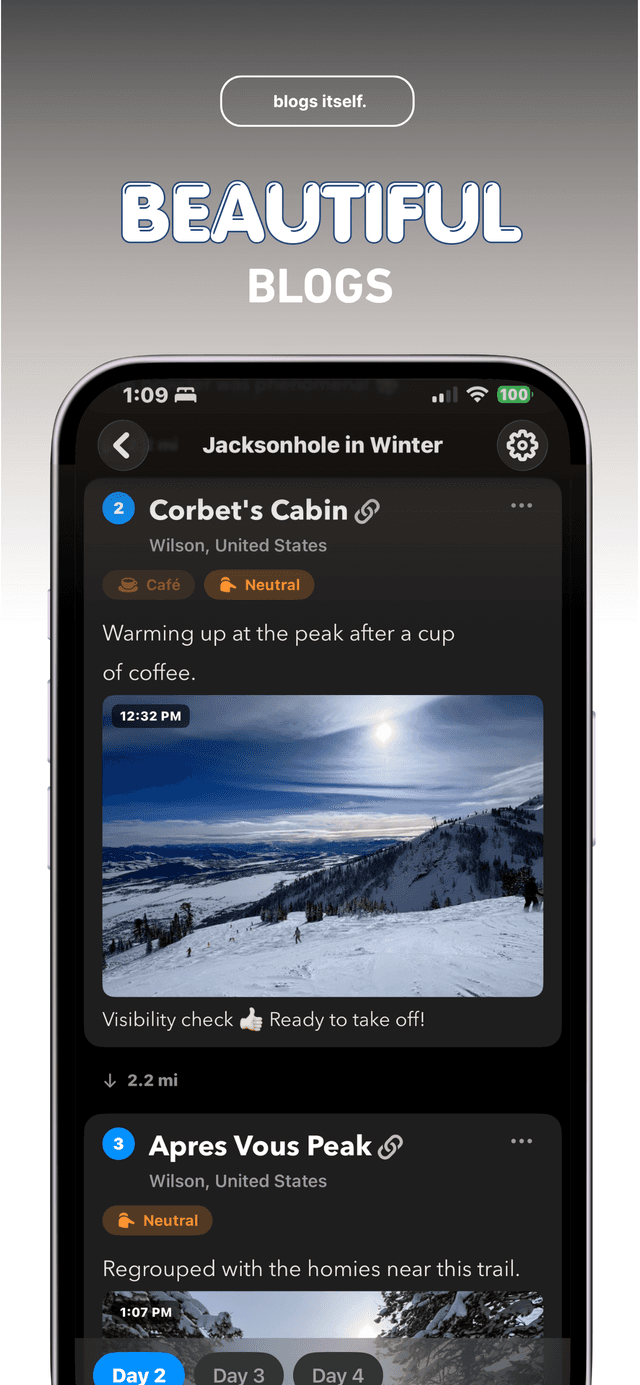
Bloggo drafts your trip as a structured blog, then exports it as a PDF storybook — cover, days, places, maps, and your captions — ready for reading, printing, or sending to family.

How to do it with Bloggo
- 1
Turn the trip into a blog
Tap 'Tap to Blog' and pick the trip. Bloggo builds the draft with your photos grouped by day and place.
- 2
Add the words you want to keep
Captions and day summaries end up in the book, so a sentence per day goes a long way.
- 3
Export as PDF
Tap 'Share Your Blog', then 'Export as PDF'. Bloggo lays out the storybook in one tap.
- 4
Print it or send it
Save the PDF, print it at home or a print shop, or send it to someone who was there.
Common questions
Is the PDF export free?
Bloggo is free to download. Guests can export once; a free account unlocks unlimited exports.
Are maps included?
Yes. Your trip's maps and routes are part of the storybook layout.
Does the book leave my device?
Only when you share it. The PDF is generated on your iPhone.
Try it on your own photos
Bloggo is free to download. Your first blog takes seconds.