
How to turn photos into a travel blog
The fastest way to turn photos into a travel blog is to let the photos do the structuring. Your camera roll already knows when and where every shot happened — the right app turns that metadata into days, places, and a story outline without any manual sorting.
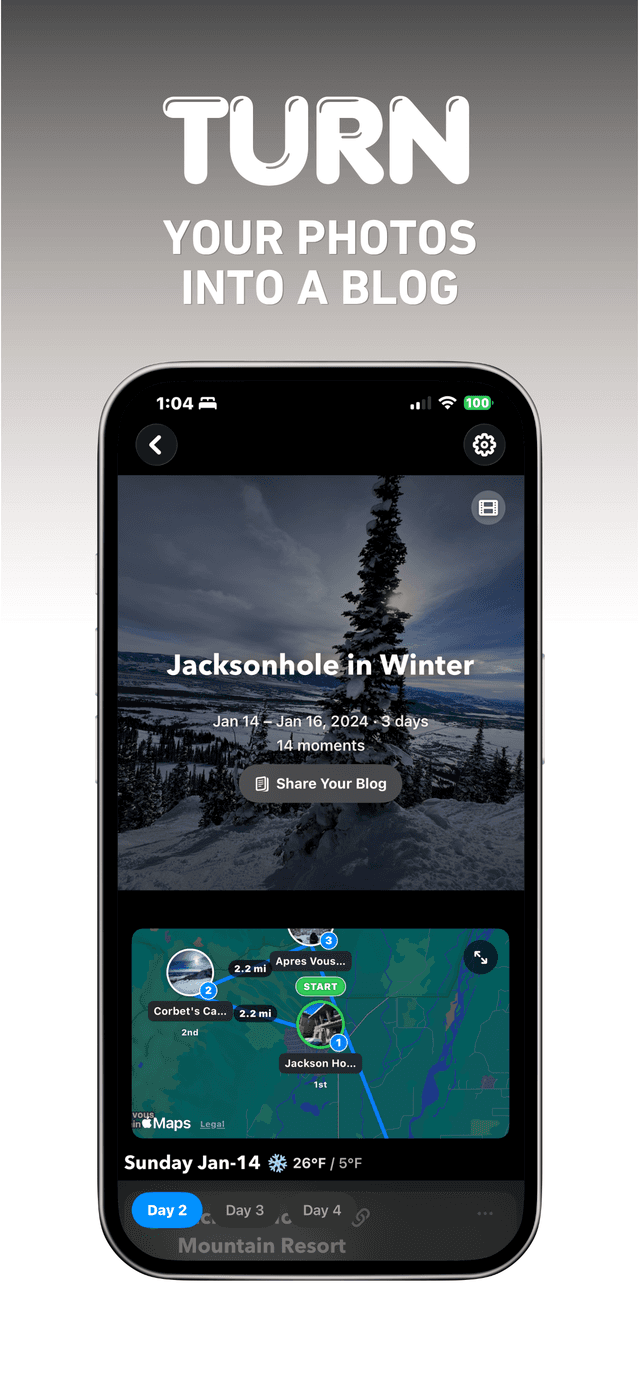
Bloggo does exactly this on your iPhone. It finds trips in your camera roll, groups photos by place, and hands you a structured blog draft — cover, days, places, and captions — ready for your voice. Your photos never leave your device.

How to do it with Bloggo
- 1
Open Bloggo and tap 'Tap to Blog'
Bloggo scans your camera roll on-device and lists every trip it finds, grouped by year. A weekend away or a three-week tour — each shows up with its dates, location, and photo count.
- 2
Pick the trip you want to tell
Select one trip, or merge several memories into a single blog. Tap 'Create Blog' and Bloggo builds the draft.
- 3
Review the draft
You get a cover with your trip title and map, a page per day, and place cards with your photos already in order. Nothing to arrange.
- 4
Add your voice
Describe each day in a sentence, tap a photo to tell its story, and save. The structure is done; the words are yours.
Common questions
Do I have to sort my photos first?
No. Bloggo reads the time and location data your iPhone already stores and does the sorting for you.
Does Bloggo upload my photos to create the blog?
No. Trip detection and blog creation happen on your device. Photos are only shared if you export or publish a blog yourself.
Can I edit the blog after it's created?
Yes. Every title, caption, and photo is editable. The draft is a starting point, not a final cut.
Try it on your own photos
Bloggo is free to download. Your first blog takes seconds.