
Turn your photos into a travel blog
Bloggo is an AI travel journal for iPhone. It finds trips in your camera roll, groups them by place, and drafts your blog — no blank page, no manual sorting.

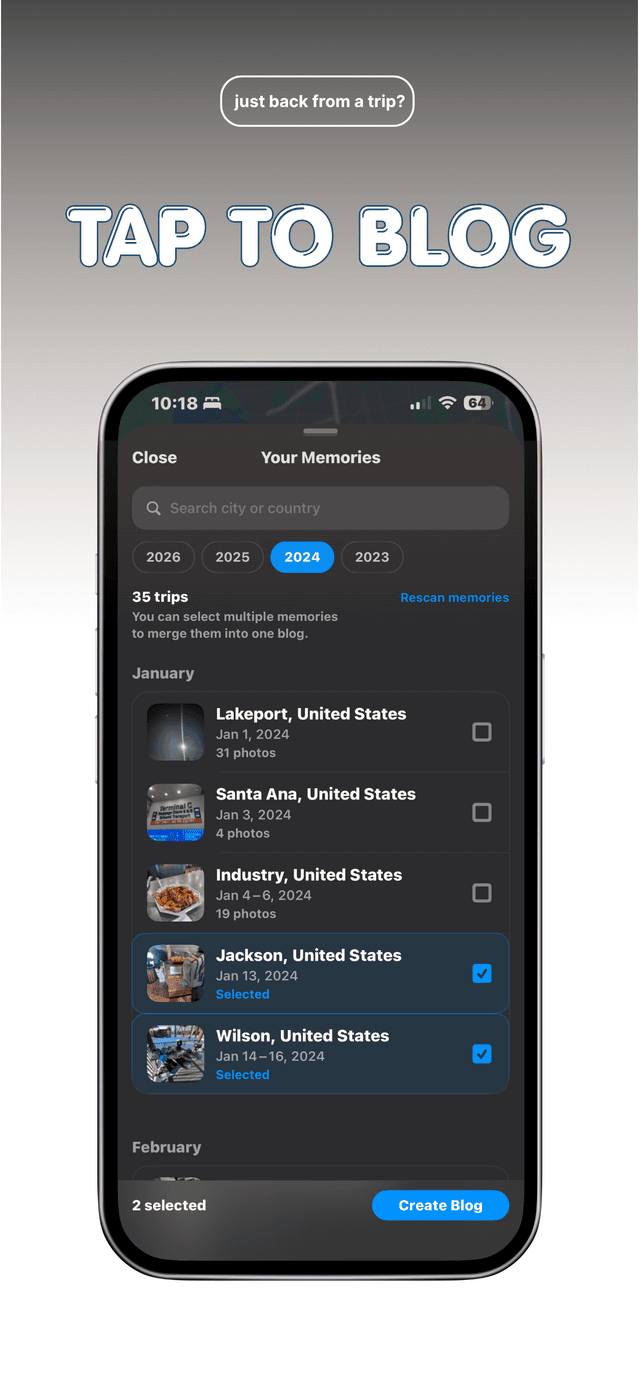
Bloggo finds the trips in your camera roll
Open Bloggo and tap 'Tap to Blog'. It scans your photo library on your device, using time and location metadata to detect when you were traveling. Every trip appears in a list with its dates, city, and photo count — from a three-week tour to a Saturday in the next town over.
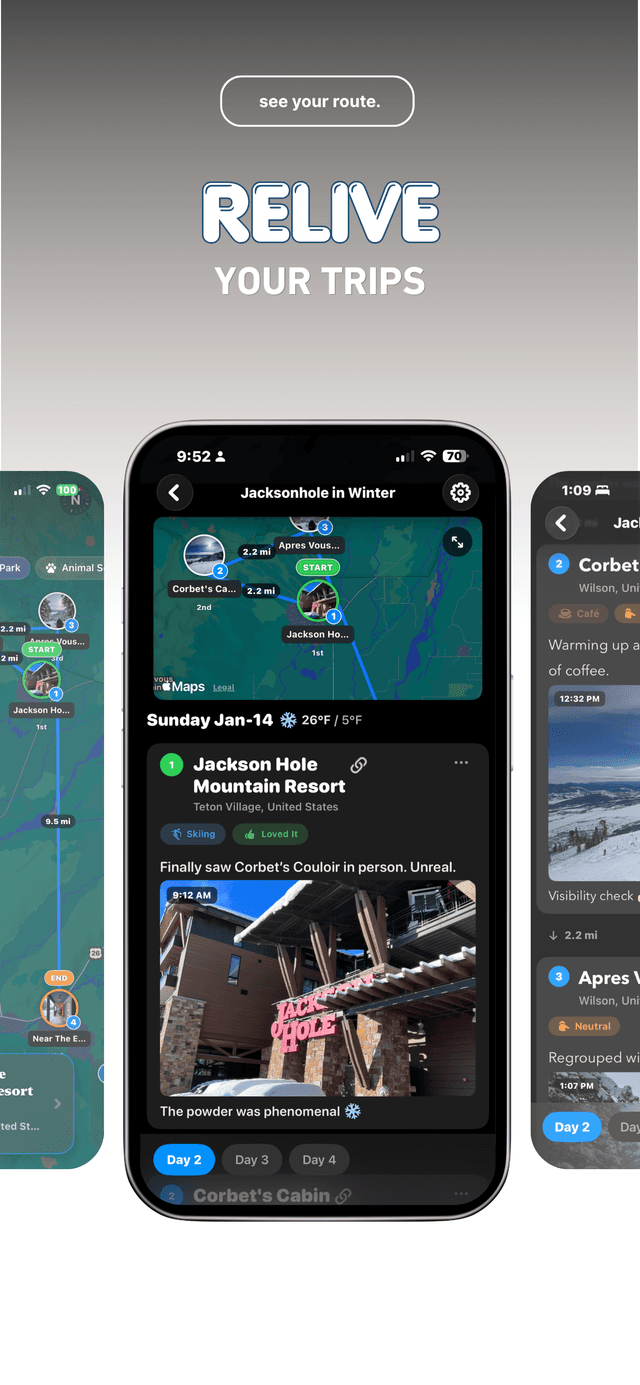
Your photos are grouped by place
Pick a trip and Bloggo clusters its photos by the places you visited, in the order you visited them. Each day gets a route map with numbered stops and the distances between them, so the shape of the day is visible before you write a word.
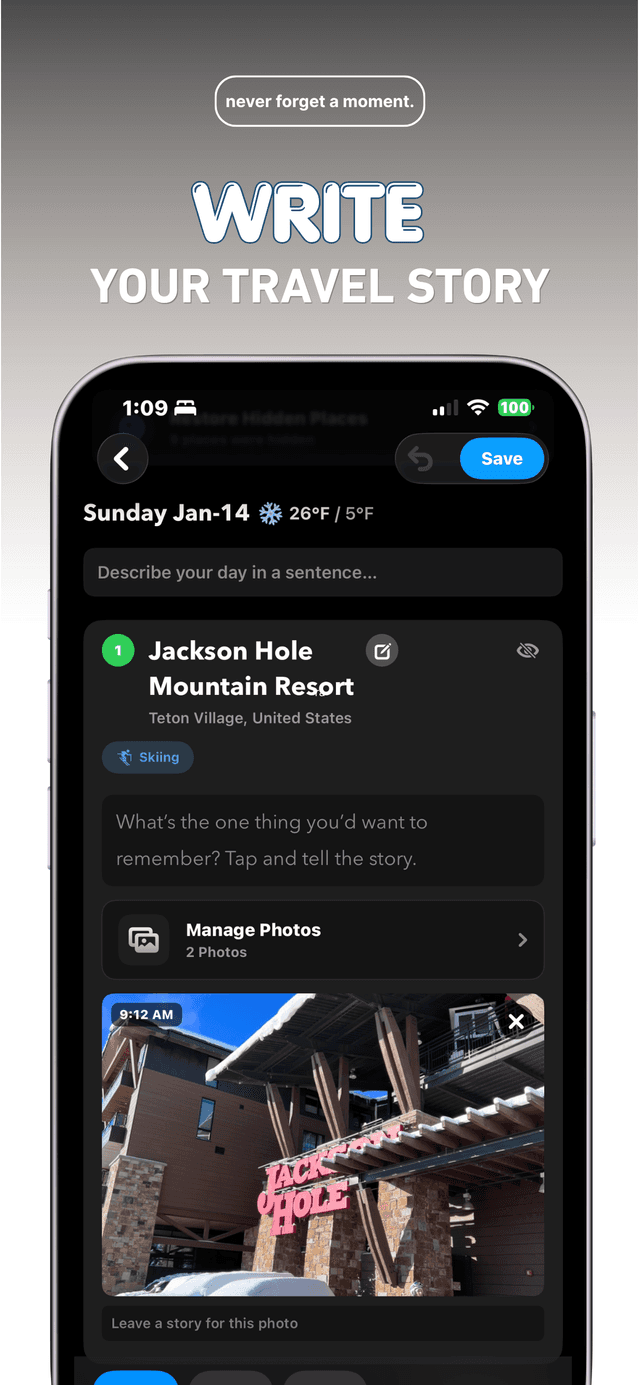
You get a structured blog draft in seconds
Bloggo turns the grouped photos into a blog draft: a cover with your trip title and map, a page per day, and a card per place with your photos already in order. Describe each day in a sentence, tell the story behind a photo, and the draft becomes yours.
One trip, three ways to share
Every blog exports as a carousel, a photo book, or a video — you choose the shape.
Questions, answered
Does Bloggo upload my photos?
No. Bloggo reads photo metadata like time and location on your device to organize trips. Your photos are never uploaded, and blog drafts stay on your iPhone unless you export or publish them.
Learn more: Private travel journal →How does Bloggo know where my photos were taken?
Your iPhone stores a timestamp and location with every photo. Bloggo groups photos into trips and places from that metadata — no manual sorting, no uploads.
Learn more: Organize photos by trip →Can I make an Instagram carousel from my trip photos?
Yes. Bloggo exports your blog as Instagram-ready slides — cover pages, maps, and place highlights included — in 4:5 or 9:16. Save them to your camera roll or share them directly.
Learn more: Make a carousel →Can I turn a trip into a photo book?
Yes. One tap exports your blog as a printable PDF storybook with your photos, maps, and captions laid out for reading or printing.
Learn more: Create a photo book →Can I make a video slideshow with music?
Yes. Bloggo generates a slideshow video from your blog, set to music and ready to share to reels, stories, or anywhere else.
Learn more: Make a video slideshow →Does it work for everyday photos, not just trips?
Yes. Bloggo captures everyday moments too — the new café, Sunday's hike, last week's dinner — and groups them by place just like travel.
Learn more: Photo journal for everyday life →Can I see a map of everywhere I've been?
Yes. Bloggo builds a private places-visited map from your photos, browsable by year and category, entirely on your device.
Learn more: Map your travels →What about photos from years ago?
Bloggo scans your whole camera roll, so trips and everyday days from years back can become entries today.
Learn more: Turn your camera roll into a diary →Can I edit the blog Bloggo creates?
Yes. Every title, caption, and photo is editable. The draft is a starting point — the structure is done, the words are yours.
Learn more: Turn photos into a travel blog →Is Bloggo free?
Bloggo is free to download. You can try it as a guest — save one blog and export once — and a free account removes those caps.
Learn more: Pricing →Your next blog is already in your camera roll
Download Bloggo and turn your last trip into a blog in seconds.