
How to turn trip photos into a video slideshow with music
A trip video shouldn't require a video editor. If your photos are already organized into a story, a slideshow with music is a rendering step, not a project.
Bloggo generates a video slideshow from your trip blog — your photos in story order, set to music, ready to share — in one tap.

How to do it with Bloggo
- 1
Create the trip blog first
Tap 'Tap to Blog' and pick the trip. The video follows your blog's structure, so the story order is already set.
- 2
Curate the moments
Trim places or photos you don't want before exporting — the video matches the blog.
- 3
Generate the video
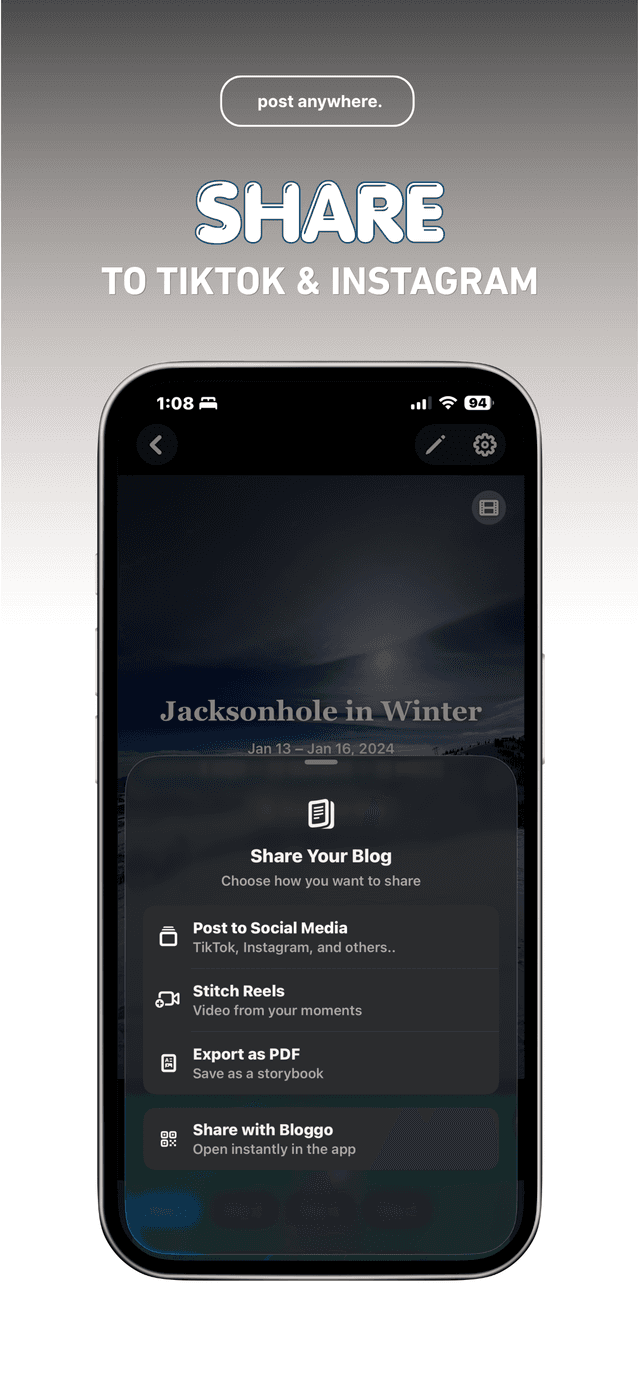
Tap 'Share Your Blog', then 'Stitch Reels'. Bloggo renders a slideshow video with music from your moments.
- 4
Share it anywhere
Save it to your camera roll or share directly to TikTok, Instagram, or wherever your people are.
Common questions
Can I use it for reels and stories?
Yes. The vertical format is made for reels and stories.
Do I pick the photos?
You control the blog, and the video follows it — hide a place or photo and it stays out of the video.
Is the video rendered on my phone?
Yes. The slideshow is generated on your device, like the rest of your blog.
Try it on your own photos
Bloggo is free to download. Your first blog takes seconds.