
How to make an Instagram carousel from travel photos
A good travel carousel needs more than ten photos in a row: a cover slide, a sense of place, and a consistent look. Building that in a photo editor takes an evening per trip.
Bloggo exports your trip as ready-made carousel slides — cover pages, maps, and place highlights included — in Instagram's 4:5 or 9:16 formats. You pick the trip; it builds the slides.

How to do it with Bloggo
- 1
Create your trip blog
Tap 'Tap to Blog', pick the trip, and Bloggo drafts it with days, places, and captions.
- 2
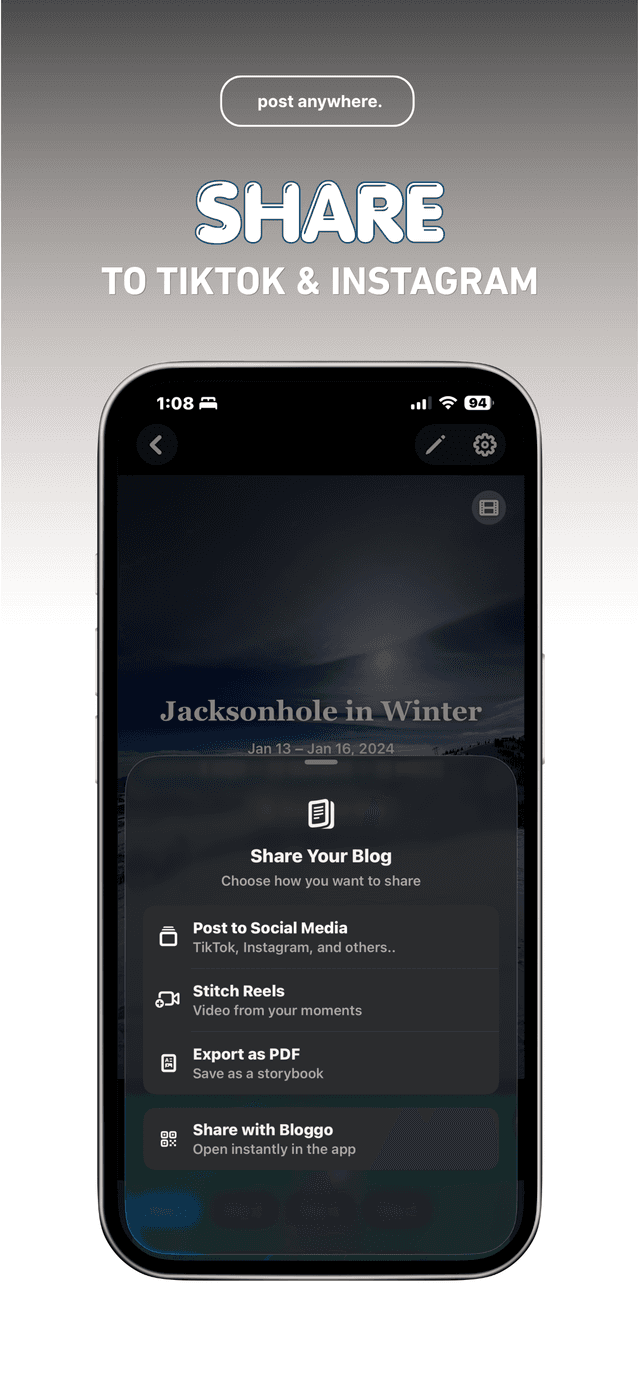
Open 'Share Your Blog'
From the blog cover, tap 'Share Your Blog' and choose 'Post to Social Media'.
- 3
Pick your format
Choose 4:5 for feed carousels or 9:16 for stories and vertical formats. Slides include your cover, route map, and place highlights.
- 4
Download or share directly
Save the slides to your camera roll, or share them straight into Instagram, TikTok, or any other app.
Common questions
Which aspect ratios are supported?
4:5 for feed posts and 9:16 for stories and vertical formats.
Can I choose which places make the cut?
Yes. The slides follow your blog, so edit the blog first and the export matches it.
Do I need an account to export?
You can try Bloggo as a guest and export once; a free account removes the guest caps.
Try it on your own photos
Bloggo is free to download. Your first blog takes seconds.